


This guide provides instructions for updating the minimum purchase amount required for customers to redeem rewards. Following these steps ensures your loyalty program settings remain aligned with your business requirements.
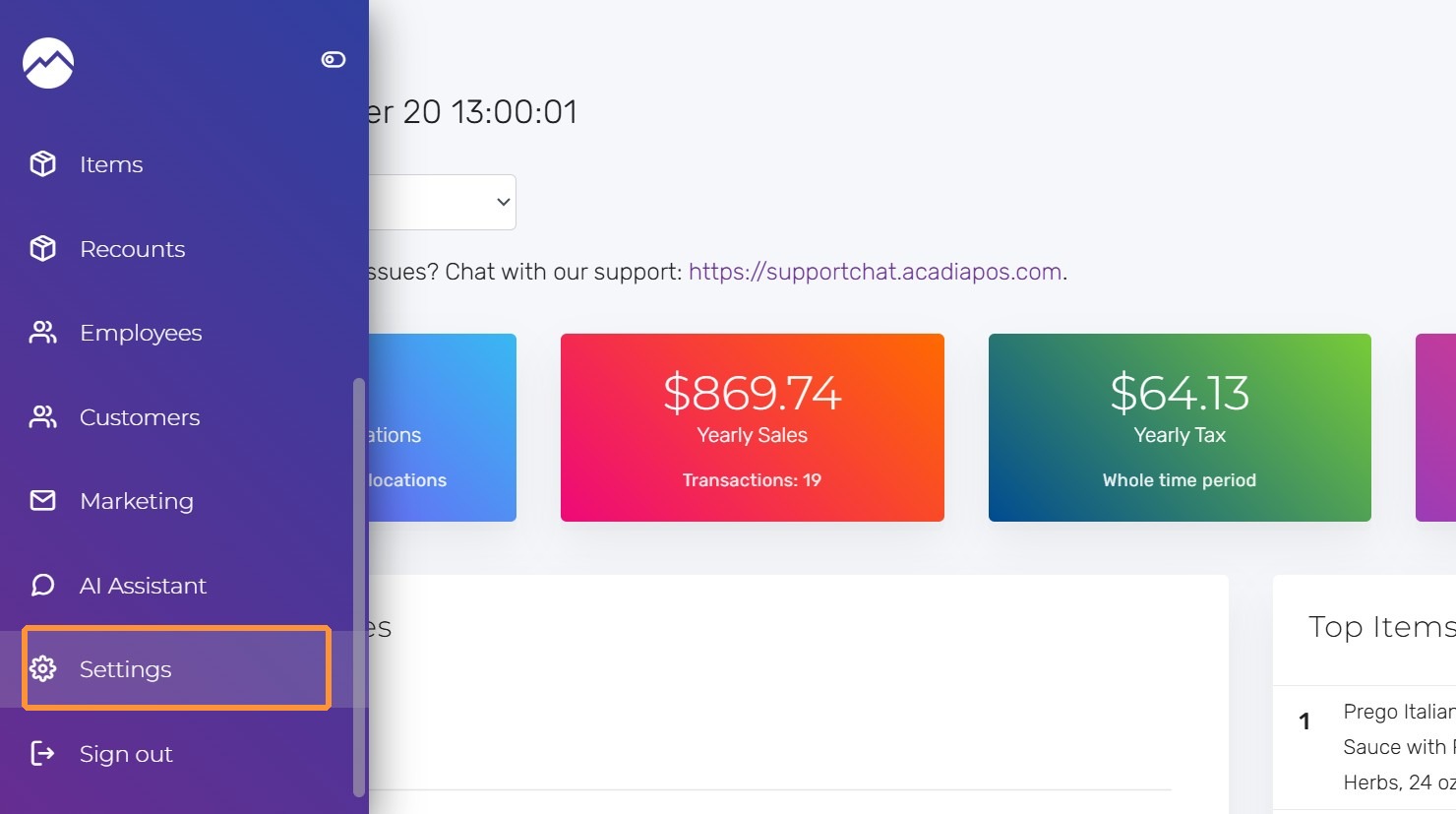
1. Navigate to manage.acadiapos.com for Retail or rfsm.acadiapos.com for Restaurant and click Settings in the sidebar menu.
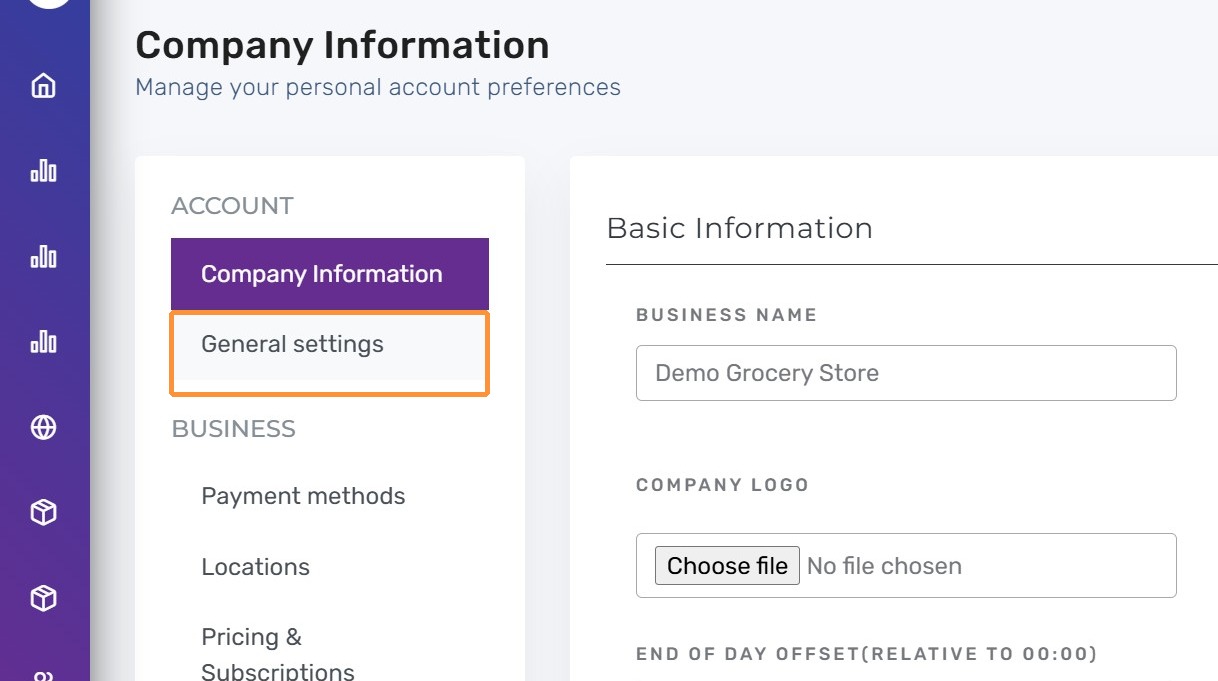
2. Click “General settings”
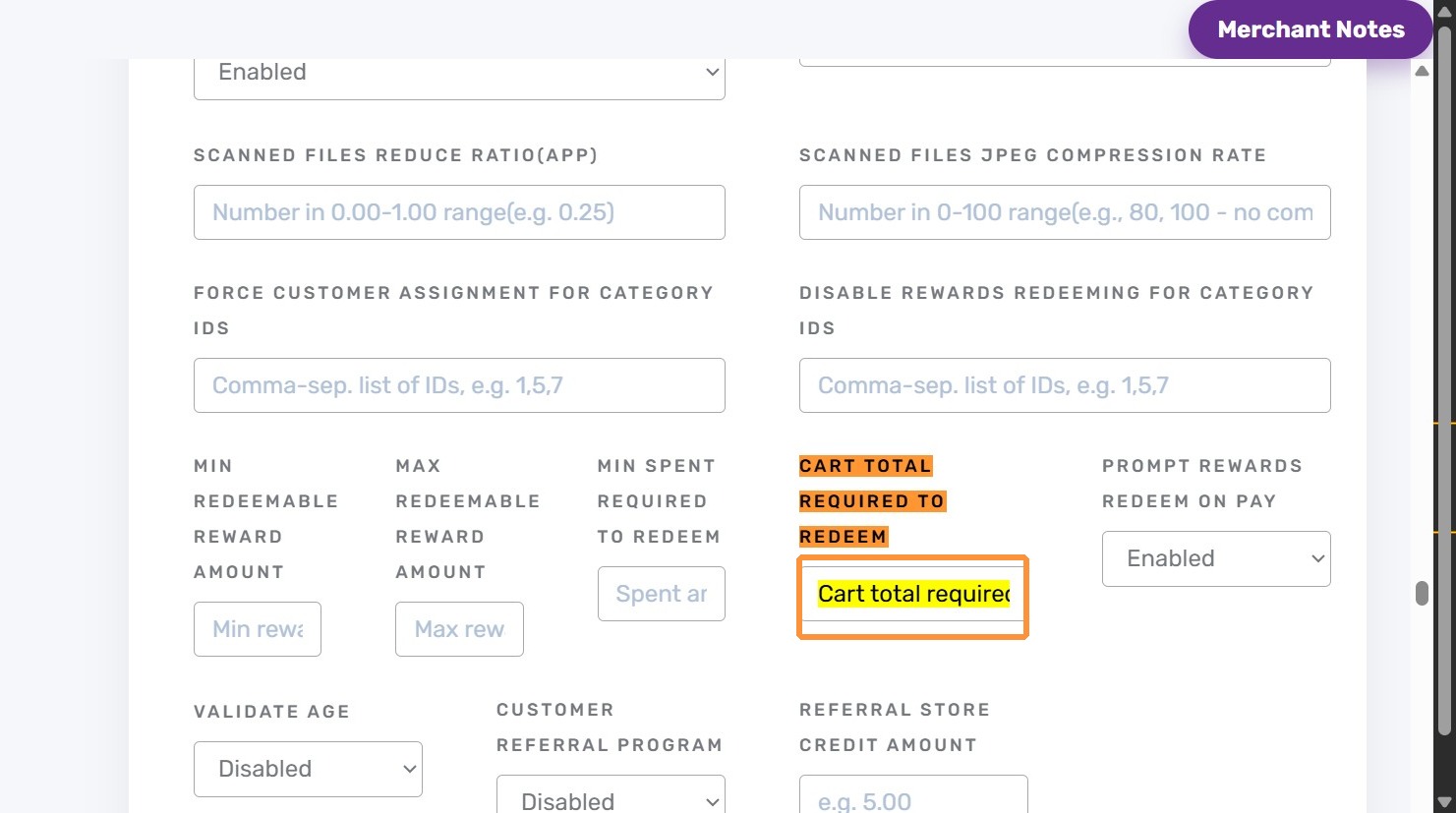
3. Press Ctrl + F (Windows) or ⌘ + F (Mac) to locate Cart total required to redeem
Enter the amount (in your shop currency) that the cart must meet or exceed before redemption is allowed.
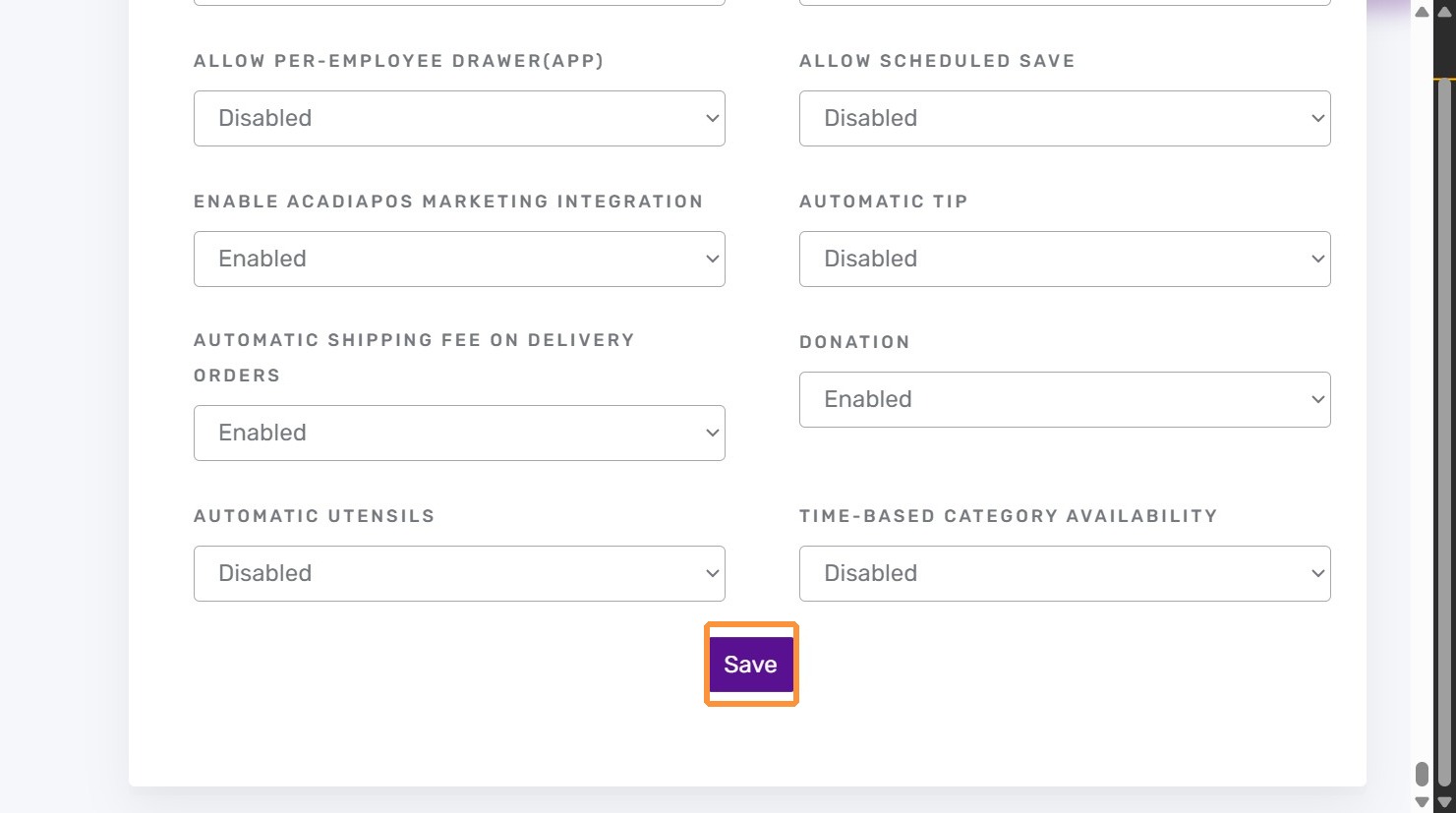
4. Click “Save”
How It Works:
- The POS and web checkout both monitor the live cart total. If it falls below the threshold, the redeem option is hidden or disabled.
- Staff sees the usual warning banner when the cart is close but not yet eligible, making it easy to explain the requirement to shoppers.
Tips:
- Combine the cart minimum with Disable rewards redeeming for category IDs when you need to block redemptions on particular assortments.
- Review your average ticket before choosing the amount; a target slightly below the norm keeps the program accessible while still curbing small ticket redemptions.


