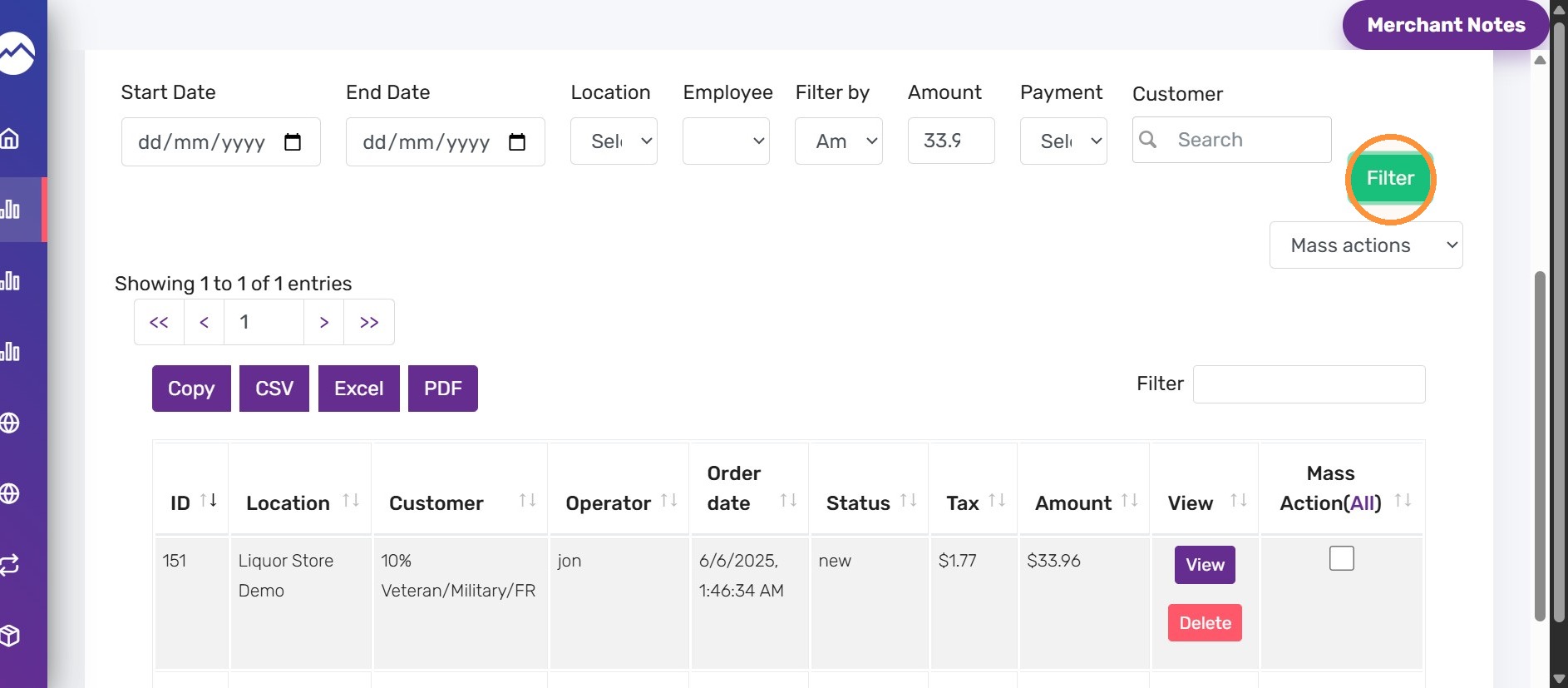


This guide shows how to quickly find orders by exact dollar amount in the AcadiaPOS backend so you can locate specific sales when you only know the total. Use it to verify transactions, handle refunds, or reconcile totals more efficiently.
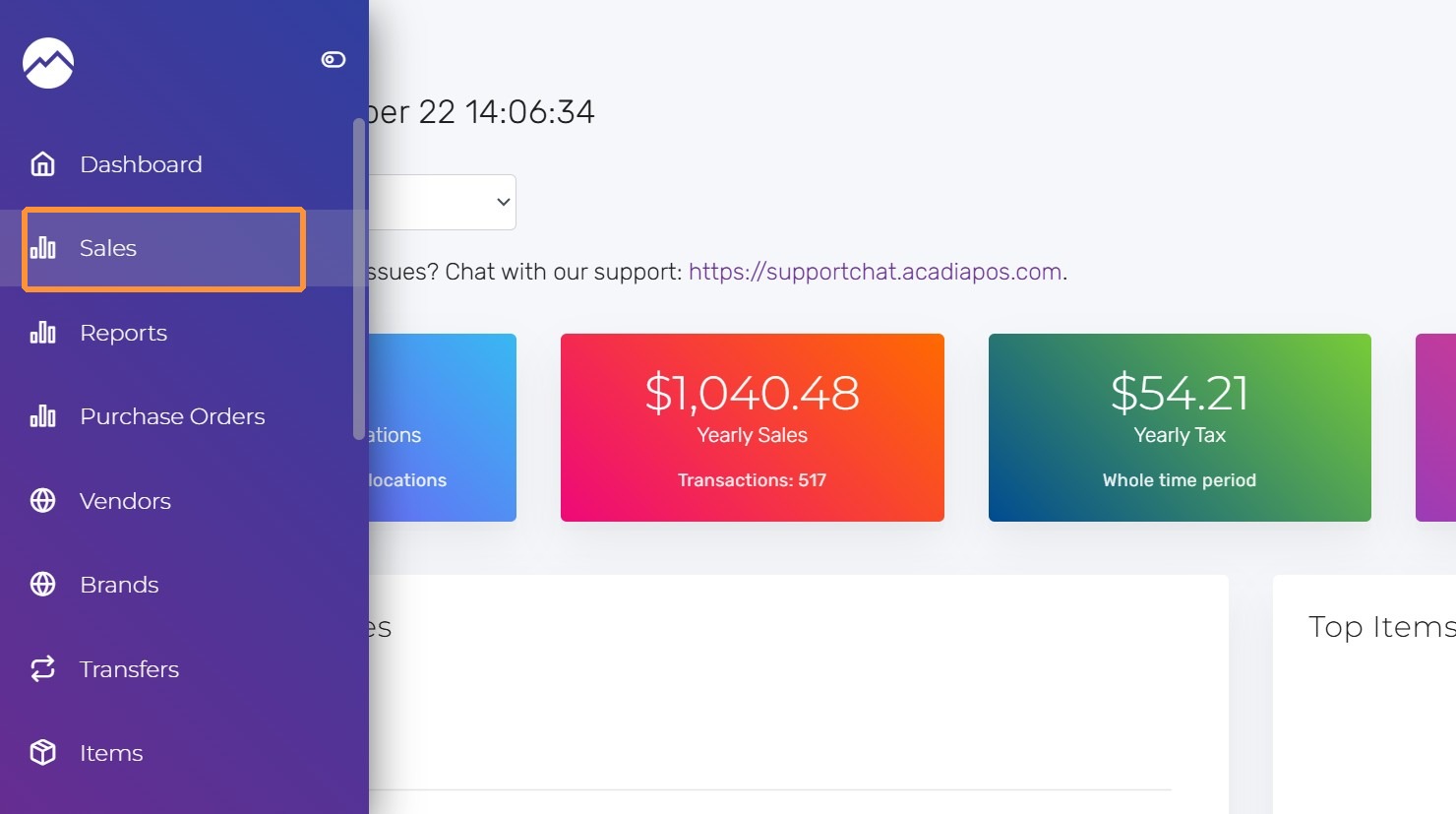
1. Navigate to manage.acadiapos.com for Retail or rfsm.acadiapos.com for Restaurant and click Sales in the sidebar menu.
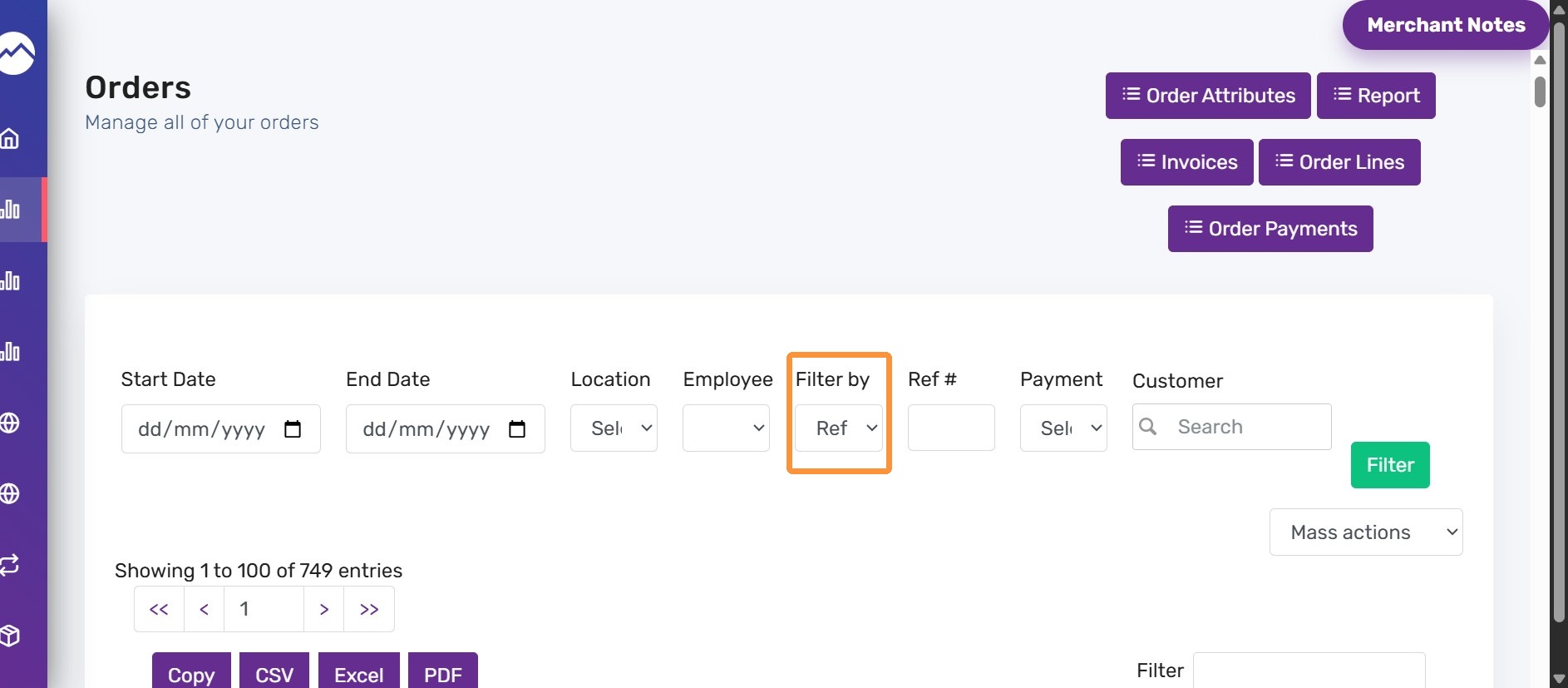
2. On the order list, click the Filter by dropdown and select Amount option
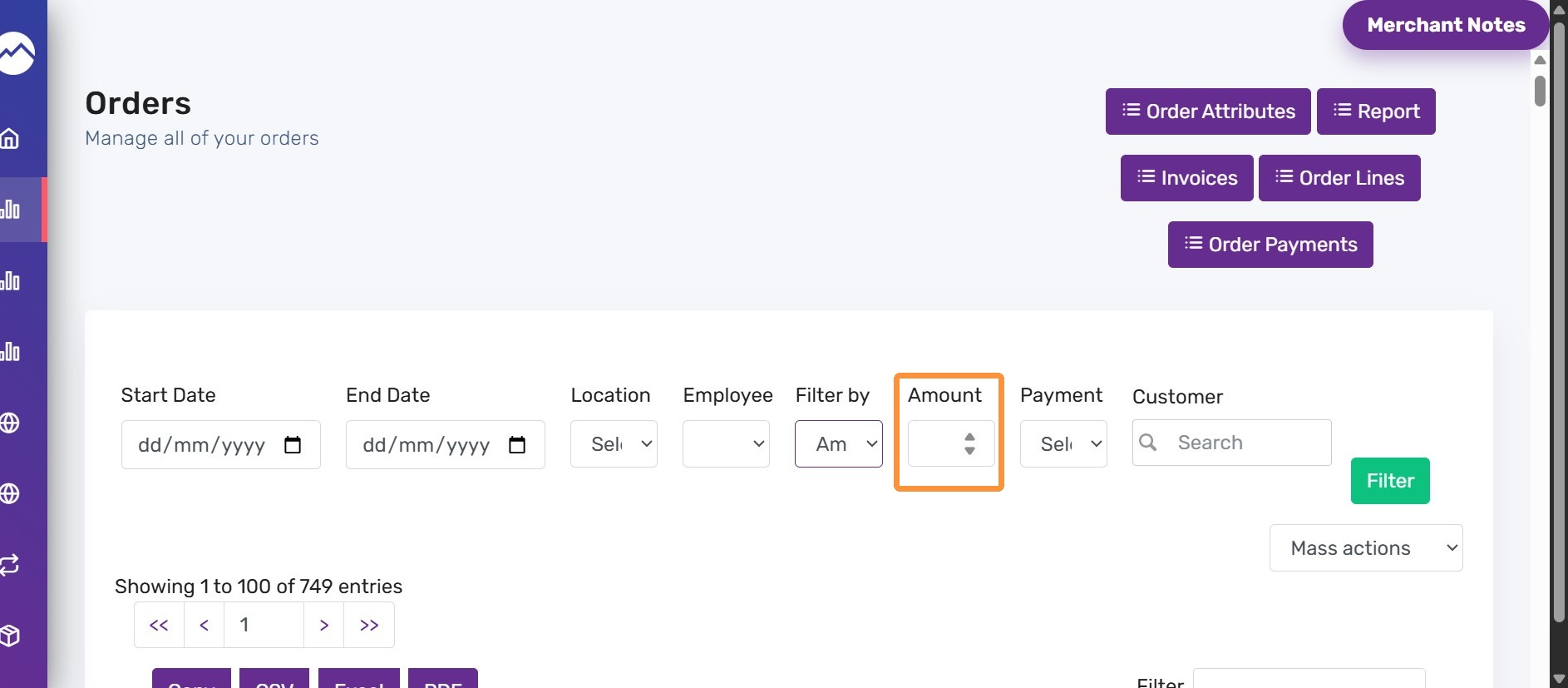
3. Enter the exact order total amount.
Combine it with date, location, employee, or payment filters to narrow the results.
4. For example, enter “33.96” in amount field and click “filter” button.
The generated result shows the sale with total amount 33.96.